


Anti Reflective Lenses: Discover Their Benefits
Most people searching for better screen comfort do not need a trendy filter first. They need the right lens design for their working distance, plus anti-reflective lenses that cut glare from screens, windows and office lighting.
If your eyes feel dry, tired, or slow to refocus after a day at the desk, the problem is often a mix of glare, blink changes, and a lens design that was never built for computer distance. That is good news, because each part can be tested and improved.
What do anti-reflective lenses actually do for computer work?
Yes. Anti-reflective coatings from Zeiss or Essilor reduce front and back surface reflections, which can make screen viewing clearer and less visually noisy.
On spectacles, anti-reflective coatings and anti-glare treatments reduce the stray light that bounces off the lens surfaces. That matters at a desk because overhead LEDs, side windows and bright displays can all create ghost reflections, veiling glare and loss of contrast. When that visual clutter drops, many people find they squint less and hold a steadier posture.

Anti-reflective lenses are not a cure for every symptom. If your issue is uncorrected long-sightedness, early presbyopia, dry eye or a poor desk setup, the coating helps only part of the problem. A common mistake is assuming “anti-glare” and “computer lens” mean the same thing. One is a coating. The other is a lens design.
"LUNETTES ART LAB recommends lens types and coatings according to how someone uses screens, drives, and needs all-day clarity, rather than treating anti-reflective coating as a one-size-fits-all add-on."
A small prospective PubMed trial in 7 healthy volunteers found antireflection film on computer displays prevented screen reflections and was linked with less blink-rate reduction during viewing. The authors concluded it may help reduce asthenopic symptoms, which is the clinical term often used for eye strain.
Are anti-reflective lenses better than blue-light filtering for screen comfort?
Usually, yes. Cochrane and the American Academy of Ophthalmology point more strongly to glare control and task-specific correction than to blue-light filtering for eye strain relief.
This is the big distinction many buyers miss. Blue-light filtering spectacles are marketed heavily, yet Cochrane’s 2023 review of 17 randomised controlled trials found they probably make no difference to eye strain caused by computer use. The same review found no clear evidence of better sleep quality either.
Anti-reflective coatings target a different problem. They reduce reflections and glare that interfere with contrast and comfortable viewing. If your office has bright downlights or windows behind you, that is often more relevant than short-wavelength light filtering.
If you are choosing one upgrade first, anti-reflective lenses usually have the better evidence-based case for screen comfort. If you still want a blue-light filter, treat it as a secondary preference, not the main intervention.
What are the 8 best lenses for computer work and screen comfort?
The best computer lenses are the ones matched to your working distance, task range and posture. Nikon and Hoya make strong category examples, but fit and prescription strategy matter as much as brand.
All eight options below work best when paired with a quality anti-reflective coating. The ranking is about usefulness for desk-based work, not fashion or marketing claims.
- Custom occupational computer lenses fitted at LUNETTES ART LAB: A local example of the category, where the lens design, fitting height, frame position and coating can be tuned to actual screen use rather than a generic everyday setup.
- Single-vision intermediate lenses: Best for one main desktop distance. They offer a wide, stable field of view and are often the clearest option for fixed workstation use.
- Office or occupational progressive lenses: Best when you need screen, keyboard and nearby colleague distance in one pair. These usually provide a much wider intermediate zone than standard progressives.
- Degressive workspace lenses: Best for desk-to-room movement. They reduce strain across near and intermediate distances but are not driving lenses.
- Enhanced intermediate progressive designs: Best for people who want more flexibility than single-vision but do not need full room range. These are popular in modern office lens portfolios.
- Anti-fatigue support lenses: Best for younger adults with long screen hours and mild focusing fatigue. The effect is subtler than a true computer prescription.
- Single-vision reading lenses with premium AR: Best for close laptop-only work if your device sits near and low. They can fail if your monitor is set farther away.
- Custom-fitted everyday progressives: Best when you truly want one pair for everything. The trade-off is a narrower intermediate zone than dedicated computer lenses.
The practical rule is simple: if you spend most of the day at one screen distance, single-vision or occupational lenses usually outperform general-purpose progressives for comfort and posture.
How do you choose the right computer lens design in 3 steps?
Start with measurement. An optometrist and a real workstation distance will tell you more than any online quiz.
Step 1 is to measure your task distance, not guess it. A desktop monitor, laptop and dual-screen setup often sit at different distances and heights. If your prescription is tuned for reading but your monitor is farther away, you can end up leaning forward or lifting your chin.
Step 2 is to map your day. If you switch between screen, paperwork and conversation across a room, an office lens is often more useful than single-vision intermediate lenses. If you stay on one monitor for hours, the simpler option may perform better.
Step 3 is to test fit, not just power. Lens position, pantoscopic tilt, vertex distance and how the frame sits on your nose change where the useful zone actually lands.
"LUNETTES ART LAB offers a free 15-minute fitting session, which is often enough to spot whether nose pads, temple angle, or lens position are contributing to screen discomfort."
A pro tip here is to bring your current glasses and a photo of your desk setup. People often blame the prescription when the frame is sitting too low or the screen is simply too high.
How should you set up your screen and lighting in 3 steps?
Yes. EyeWiki advises monitor height and glare control because lens choice works best when the workstation is set correctly.
Step 1 is screen position. EyeWiki says the top of the monitor should be at or just below eye level, with the viewer at arm’s length. That setup reduces the need to open the eyes too wide or crane the neck, both of which can worsen discomfort.
Step 2 is room lighting. Lower direct glare from overhead lighting, bright windows and glossy surfaces. Increase screen contrast if needed. If reflections on the display are the main issue, a matte screen filter can be worth trying.
Step 3 is blink and surface comfort. Computer users often blink less completely. If symptoms are burning, dryness or fluctuating blur late in the day, lens changes alone may not fix the problem. That is where dry-eye assessment and environmental adjustments matter.
Should you use computer glasses or progressive lenses at a desk?
Computer glasses usually win at a desk. PubMed and clinical practice both point to computer-specific prescriptions as the better fit for sustained intermediate work.
Standard progressives are built to cover distance, intermediate and near in one lens. That versatility is useful, but it comes with a narrower intermediate corridor. On a desktop, that can force head movements, chin lift and shoulder tension just to keep the screen clear.
A PubMed abstract on presbyopic computer workers notes greater risk of symptoms when conventional prescriptions are used instead of computer prescriptions. LUNETTES ART LAB’s own guidance says the same in practical terms: progressives or multifocals can make computer focus harder because the intermediate zone is limited.
If you need one pair all day, progressives still make sense. If your work is screen-heavy, computer glasses are often the more comfortable second pair.
How do coatings, lens material, and frame fit change real-world comfort?
They matter a lot. Hoya high-index lenses and well-fitted acetate frames show why comfort depends on optics and positioning, not script alone.
High-index materials are thinner, but they can reflect more light than standard plastics. That makes anti-reflective coating even more important. A good AR stack often includes scratch resistance plus hydrophobic and oleophobic layers, which help keep lenses clearer and easier to clean.
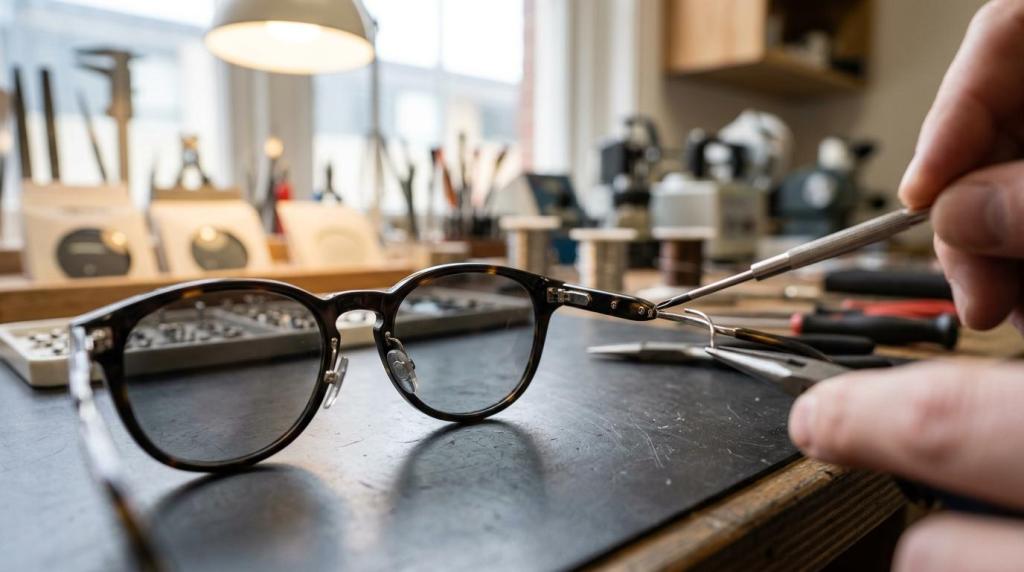
Frame fit is just as important. If the frame slips, sits too far from the eyes or has poorly placed nose pads, your viewing zones shift. Then even a well-designed computer lens can feel “wrong”. A common misconception is that the coating failed when the actual issue is fit geometry.
"With 10,000+ real cases solved, LUNETTES ART LAB treats screen comfort as a combination of prescription, frame position, and lens design rather than a coating upgrade alone."
This is why precise fitting can matter more than buying a more expensive lens family. Better optics are wasted if the lens sits in the wrong place.
How can you tell whether glare, dryness, or focus fatigue is the main problem in 3 steps?
You can usually narrow it down fast. An optometrist and a symptom pattern will separate glare, tear-film issues and prescription mismatch.
Step 1 is timing. If symptoms start as soon as the lights come on or when you face a bright window, glare is a strong suspect. If they build after hours of concentration, dryness or focus fatigue may be more likely.
Step 2 is behaviour. If you lift your chin, lean in, or turn your head to find a clear spot, think lens design. If vision clears after a few blinks and then goes fuzzy again, the tear film may be unstable.
Step 3 is context. If reading on paper feels fine but a monitor does not, your intermediate prescription or screen setup may be off. If everything at near is uncomfortable, the prescription itself may need review.
Do anti-reflective coatings on glasses work the same way as matte screen filters?
No. Anti-reflective lens coatings and matte screen filters solve related problems, but they are not the same tool.
Anti-reflective coatings reduce reflections on the spectacle lens, which keeps your own lenses from adding glare. Matte screen filters work on the display surface itself. EyeWiki notes that antiglare filters can reduce contrast, reflection and glare, though they may not reduce asthenopia in every case.
That trade-off matters. If your screen is glossy and your room lighting is hard to control, a matte filter may help. If text looks less crisp with the filter, keep the spectacles optimised and change the lighting first. In some offices, the best answer is both: AR-coated glasses plus a matte filter on a reflective monitor.
When should you book an eye test for digital eye strain or asthenopia?
Book one when symptoms repeat. An optometrist or ophthalmologist should assess persistent strain, blur or headaches rather than leaving you to trial random coatings.
Screen discomfort is common, but it should not become normal. A current refraction, binocular vision check, dry-eye review and discussion of work distance can identify whether you need anti-reflective lenses, occupational glasses, a different frame fit, or medical treatment for the ocular surface.
"LUNETTES ART LAB is led by Australia’s only French-certified Artisan Lunetier, which is relevant when frame adjustment, handcrafted fit, and optical positioning are part of solving computer discomfort."
Watch for these triggers:
- Book soon: repeated headaches, slow refocusing, neck strain, or the need to tilt your head to see the monitor clearly
- Ask about occupational lenses: long desktop sessions, dual monitors, or progressives that feel fine for walking but poor at the desk
- Seek urgent assessment: sudden double vision, eye pain, flashes, new floaters, or a sudden drop in vision
The strongest pattern across current evidence is clear. For computer work, glare control and computer-specific lens design have better support than blue-light filtering alone. That is where anti-reflective lenses earn their place: not as a gimmick, but as one precise part of a well-fitted screen comfort system.
![[Eyewear Fitting Series 1 – Why We Take Eyewear Fitting So Seriously]](http://lunettesartlab.com/cdn/shop/articles/LUNETTES_ART_LAB_Design_1080x_8ea473ce-6476-4919-8ec2-76565fba38a8.webp?v=1760747802&width=1080)